Kenya’s adoption of the Electronic Tax Invoice Management System (eTIMS) has simplified the invoicing process for businesses, helping them stay compliant with tax regulations. Introduced by Kenya Revenue Authority (KRA), eTIMS ensures real-time transmission of tax invoices to the authority, making it an essential tool for businesses across the country.
This guide will walk you through the steps to generate an eTIMS invoice efficiently, whether you’re a small business owner, a freelancer, or a large company.
What is eTIMS?
The Electronic Tax Invoice Management System (eTIMS) is a digital system developed by KRA to facilitate the issuance, validation, and real-time reporting of VAT invoices. It automates the invoicing process to reduce errors, minimize fraud, and enhance tax compliance.
By using eTIMS, businesses can generate invoices, submit them electronically, and ensure that they meet KRA’s VAT requirements. The system is designed to be accessible to businesses of all sizes.
Benefits of Using eTIMS
- Compliance Simplified: Automatic submission of invoices to KRA ensures your business stays compliant with VAT regulations without manual intervention.
- Transparency and Trust: eTIMS makes it easier to track and audit transactions, increasing transparency for both businesses and regulatory bodies.
- Cost-Efficiency: By reducing manual processes, businesses can lower operational costs and save valuable time.
- Flexibility: The eTIMS Lite platform is perfect for SMEs and can be accessed through smartphones, tablets, and computers.
How to Generate an eTIMS Invoice in Kenya: Step-by-Step
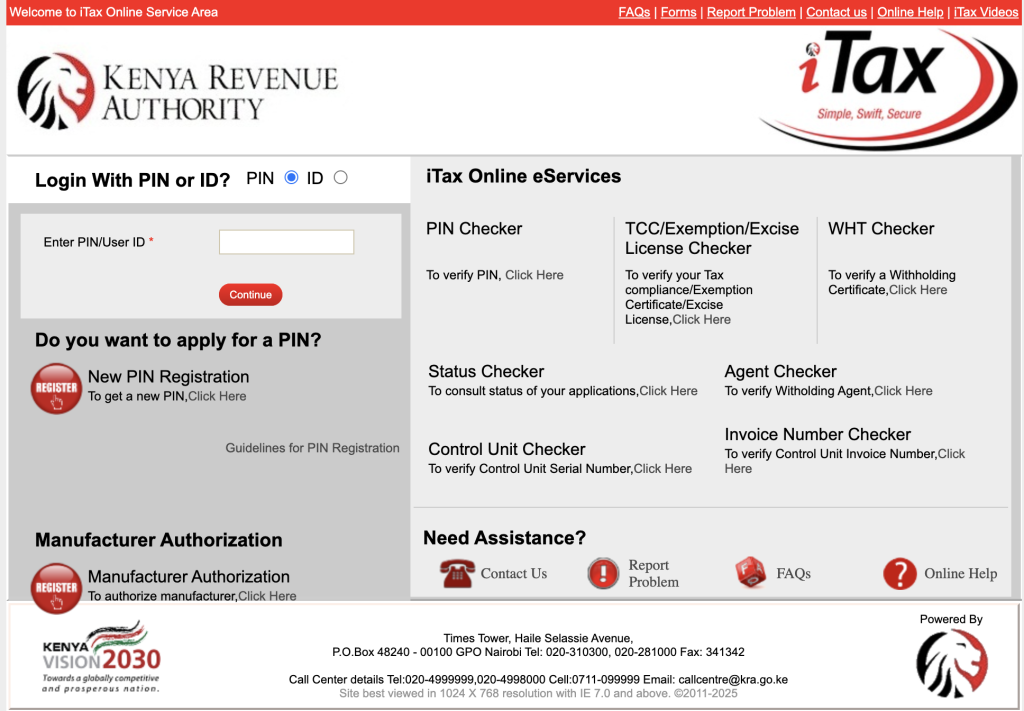
Step 1: Register on the KRA iTax Portal
Before using eTIMS, ensure you’re registered on the KRA iTax portal. This is the first step in accessing the system.
- Login to iTax: Use your PIN and password to log in.
- Check Your VAT Status: Ensure that your VAT registration status is active and up to date.
- Enroll in eTIMS: Once registered, choose the eTIMS solution that best suits your business—eTIMS Lite, POS, or ERP-based solutions.
Step 2: Access the eTIMS System
Once you’ve completed registration:
- Log in to eTIMS Lite: Use your login credentials to access the platform.
- Select ‘Generate Invoice’: Navigate to the ‘Generate Invoice’ option in the menu.
Tip: eTIMS Lite is a convenient option for small and medium-sized businesses (SMEs) and can be accessed via smartphones, tablets, or computers.
Step 3: Input Customer and Transaction Details
Now, input the necessary details to generate your invoice:
- Customer Name and PIN (if available): Ensure the customer’s details are entered accurately.
- Invoice Date and Number: Provide the correct date and a unique invoice number.
- Goods/Services Description: Include a clear description of the items or services being invoiced.
- Quantity and Unit Price: Enter the number of units and the price per unit.
- VAT Calculation: The system will automatically calculate VAT at the standard 16%. However, ensure the correct rate is applied.
- Additional Information: Include discounts, shipping fees, or other relevant charges.
Step 4: Generate the Invoice
Once you’ve filled in all the details:
- Click ‘Generate Invoice’: This will process the invoice and generate it in real-time.
- QR Code: The system will assign a QR code to your invoice for authenticity verification. The QR code is essential for confirming that the invoice is compliant with KRA.
Tip: Ensure the QR code is visible on the invoice, as it is a crucial component for authenticity and compliance verification.
Step 5: Print or Share the Invoice
After generating the invoice:
- Print the Invoice: Use an eTIMS-compliant printer to print the invoice.
- Email the Invoice: Alternatively, you can save the invoice as a PDF and email it directly to your customer.
Step 6: Automatic Reporting to KRA
Once submitted:
- The invoice will be automatically reported to KRA in real-time. No further manual submission is necessary.
- This feature ensures seamless and efficient VAT compliance without additional paperwork.
Conclusion
Generating an eTIMS invoice in Kenya is easy and streamlined, making it a crucial tool for businesses that wish to comply with KRA’s VAT regulations. The system helps businesses of all sizes save time, reduce errors, and ensure that they stay compliant with the law.
By following this step-by-step guide and using the eTIMS Lite or other platforms available, businesses can automate their invoicing processes and ensure smoother operations.