

If you are trying to recover your NSSF number in Kenya, you are not alone. Many Kenyans misplace or forget their National Social Security Fund (NSSF) number, yet it is a critical requirement for making contributions, checking statements, and accessing retirement benefits.
Whether you are formally employed or self-employed, this guide explains how to check your NSSF number online and via SMS in Kenya, and outlines alternative options if digital methods are unavailable.
Why You Need Your NSSF Number
Your NSSF number is your unique retirement savings identifier issued by the National Social Security Fund. You need it to:
- Make monthly pension contributions
- Access your NSSF contribution statements
- Verify employment and remittance records
- Claim retirement, invalidity, or survivor benefits
Without the number, you cannot track or access your savings.
How to Check Your NSSF Number Online
At the moment, there is no active online system that allows members to retrieve their NSSF number directly.
However, if you already know your NSSF number and only need to access contribution services, you can use the NSSF Self-Service Portal.
Steps to Access the NSSF Portal
- Visit the official NSSF Self-Service Portal on your phone or computer
- Select Member Self-Service
- Click Contributions Statement
- Log in using your NSSF number and password
- If you forgot your login credentials, visit an NSSF office to obtain an encoded PIN key and reset access
The portal allows statement viewing and downloads—but not recovery of a lost NSSF number.
How to Check Your NSSF Number via SMS
Currently, there is no SMS service that retrieves your NSSF number.
SMS services are only available after you already know your number, mainly for checking balances and requesting statements. If your number is lost, SMS alone cannot help.
How to Check Your NSSF Number in Person
Visiting an NSSF office or Huduma Centre is the most reliable and secure method.
Steps
- Visit the nearest Huduma Centre or NSSF branch
- Carry your original National ID or valid passport
- Inform the officer that you need to retrieve your NSSF number
- Your identity will be verified
- You will be issued with your NSSF number and an encoded PIN key
This method protects your personal data and ensures accuracy.
How to Check Your NSSF Number Using Your ID
Yes, you can retrieve your NSSF number using your National ID, but only in person.
Present your ID at a Huduma Centre or NSSF office, and staff will assist after verification. There is no remote ID-based lookup online or via SMS.
NSSF Registration Process (If You Don’t Have a Number)
If you have never registered with NSSF, you must first sign up.
Documents Required
- National ID or valid passport
- KRA PIN certificate
- Employer’s name and NSSF number (if employed)
- Appointment letter (if applicable)
How to Register
- Visit the NSSF website
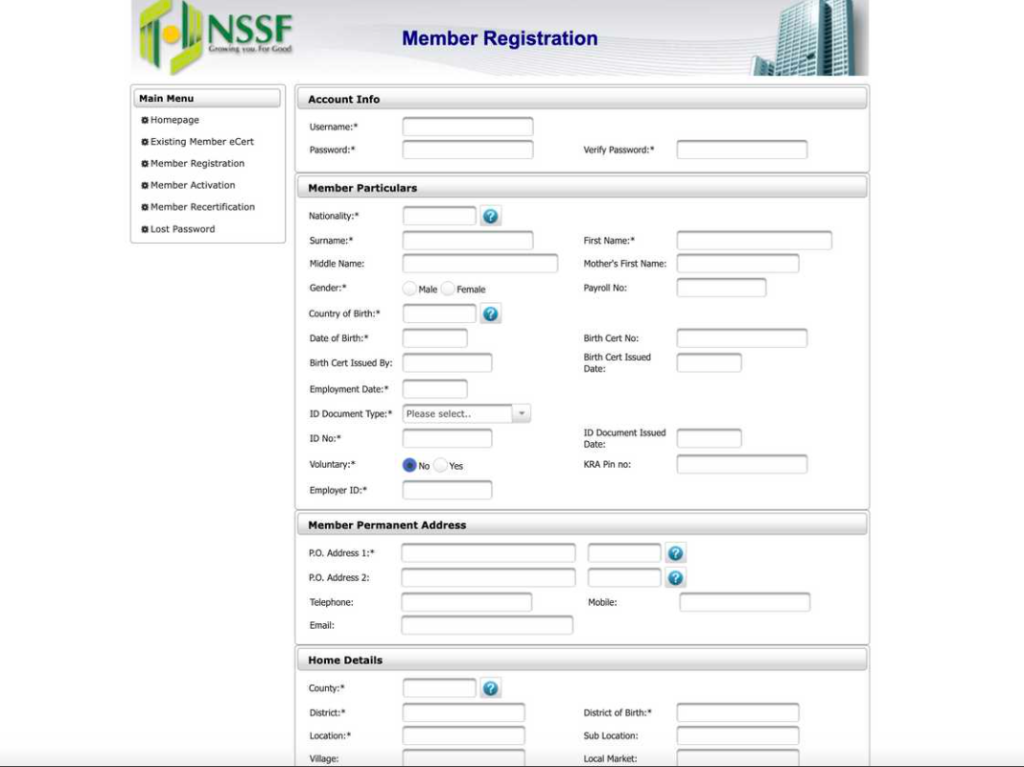
- Click Member Registration under Member Self-Service
- Fill in your personal and employment details
- Print the confirmation page
- Visit an NSSF branch with the form and your ID to receive your NSSF number and encoded PIN
How to Check Your NSSF Contribution Status
Once you have your NSSF number, monitoring your contributions is easy.
Online Method
- Log in to the NSSF Self-Service Portal
- Select Contributions Statement
- View or download your statement
SMS Method
- Type:
NSSF [NSSF Number] [DOB DD/MM/YYYY] [Full Name in CAPS] - Example:
NSSF 12345678 01/01/1985 JOHN DOE - Send to 6773
- You will receive a PIN
- Type BAL [PIN] and send to 6773 to receive your balance
USSD Method (Statement via Email)
- Dial *303#
- Select Member Services
- Choose Contribution Information
- Select Email Contribution Statement
Using the NSSF Mobile App
The NSSF mobile app, available on the Google Play Store, allows members to:
- Check contribution status
- Request statements
- Manage account information
You must already know your NSSF number to use the app.
NSSF Customer Care Contacts
For assistance, contact NSSF through:
- Mainlines: (020) 2729911 / 2710552
- Toll-Free: 0800 2212744
- Mobile: 0709 583000 / 0730 882000
- WhatsApp: +254 704 303 303
- Email: [email protected]
- Physical Office: Social Security House, Bishops Road, Nairobi
Final Advice
If you have lost your NSSF number, visiting a Huduma Centre or NSSF office is currently the only way to retrieve it. Once recovered, store it securely in multiple places—your phone, email, and physical documents—to avoid future inconvenience.