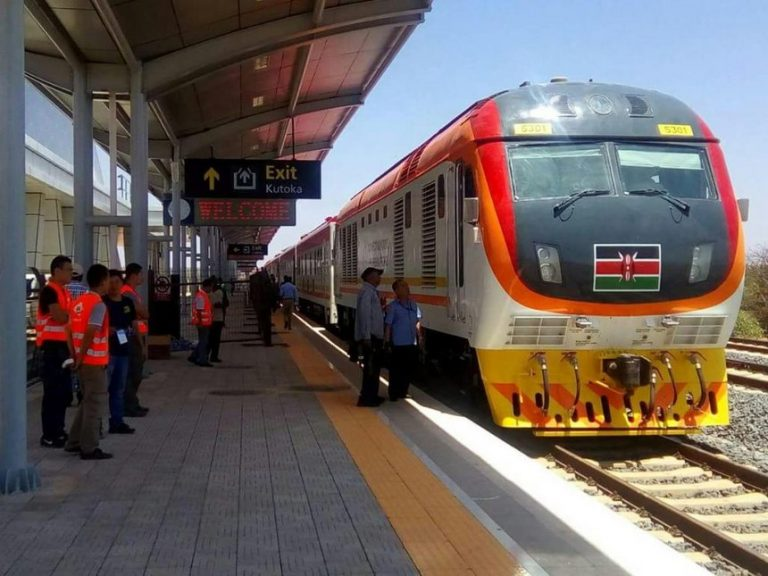
Traveling between Nairobi and Mombasa has never been easier, thanks to the Standard Gauge Railway (SGR), also known as the Madaraka Express. Whether you’re commuting for business or leisure, booking your tickets has become more convenient with multiple methods, including the *USSD 639# code.
In this guide, we’ll take you through the step-by-step process to book your SGR tickets via USSD, ensuring a quick, secure, and hassle-free booking experience every time.
1. How to Book SGR Tickets via USSD Code on Your Phone
Booking SGR tickets using *USSD 639# is one of the fastest methods for reserving your seat. You can complete the entire process in just a few minutes, without needing an internet connection.
*Steps to Book Your SGR Ticket Using 639#
Step 1: Dial the USSD Code
- On your Safaricom line, dial *639# to open the SGR booking menu.
- You will see options for different train services:
- Inter-County (8:00 AM)
- Nairobi-Voi-Mombasa Express
- Mombasa-Voi-Nairobi Express
- Suswa Train
Select the service that best fits your travel schedule.
Step 2: Enter Your Travel Details
- After selecting the train service, enter your travel information:
- Departure and destination stations
- Travel date
- Coach type (Economy or First Class)
- Number of passengers (maximum of 5 per booking)
The travel date must be within 60 days from the date of booking.
Step 3: Provide Passenger Information
- Enter the full names and ID or passport numbers of all passengers. Double-check for accuracy, as this information will appear on your final ticket.
Step 4: Confirm and Pay via M-Pesa
- Review the booking details and total fare.
- Select “Pay Now” and input your M-Pesa PIN to complete the payment.
- The transaction will be processed instantly, and your booking will be confirmed.
Step 5: Receive and Save Your Confirmation SMS
- After payment is processed, you’ll receive a confirmation SMS containing:
- Booking reference
- Ticket number
- Travel details
- Keep this SMS safe as it serves as proof of payment and is required for collecting your physical ticket.
2. Requirements to Use the SGR USSD Code
Here are the requirements for using the SGR USSD booking method:
| Requirement | Description |
|---|---|
| Phone type | Any phone supporting USSD |
| Network | Safaricom only |
| Payment method | M-Pesa linked to your Safaricom number |
| Passenger info | Full name and ID/passport for all travelers |
| Booking window | Up to 60 days before travel |
| Ticket confirmation | SMS with booking reference |
Before starting the process, ensure your M-Pesa account has sufficient balance to cover the fare.
3. Why Use the SGR USSD Booking Option
The *USSD 639# booking option offers several benefits that make it a popular choice for travelers:
- No Internet Needed: Book your ticket from anywhere in Kenya without requiring mobile data.
- Fast and Secure: Payments are processed instantly via M-Pesa, ensuring a smooth transaction.
- Instant Confirmation: Receive your booking reference and confirmation immediately after payment.
- Accessible to All: Works on any mobile phone, even feature phones.
This method is a great option for passengers who need to book tickets quickly without relying on an internet connection.
4. Tips for a Smooth SGR Booking Experience
Here are some helpful tips for making the most of your SGR booking:
- Book in Advance: SGR trains are popular, especially on weekends and holidays. Book early to secure your seat.
- Double-Check Details: Ensure that all passenger information is accurate before confirming your booking to avoid any issues.
- Save Your Confirmation SMS: The SMS acts as proof of payment, and you’ll need it to print your physical ticket.
- Arrive Early: Arrive at the station at least 1 hour before departure to allow enough time for check-in.
- Customer Support: If you encounter any problems during booking, call 0709 388 888 for assistance.
5. Final Word
Booking SGR tickets via *USSD 639# is a simple and efficient way to secure your seat on Kenya’s modern Madaraka Express. With fast M-Pesa payments, instant booking confirmation, and no need for internet, this method is ideal for all travelers looking for a quick and convenient way to book their tickets.
Whether you’re traveling for business or leisure, USSD booking ensures a seamless, reliable, and stress-free experience every time.