Need to move money into your KCB Bank account from Mpesa? The process is fast, simple, and available any time of day. Whether you’re saving, repaying a loan, or sending money to another KCB account, you can do it directly from your phone.
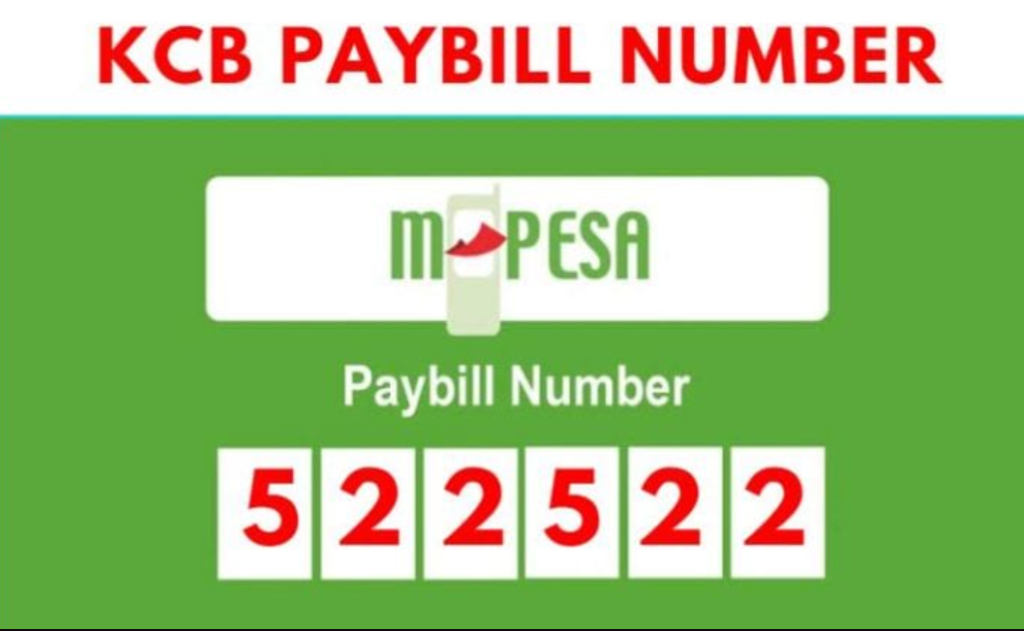
KCB Bank has made mobile banking seamless by integrating with M-Pesa. All you need is your KCB account number and the official KCB Paybill number 522533.
This guide walks you through the exact steps to deposit money safely and avoid common mistakes.
Easy Steps To Send Money From Mpesa To KCB Bank Account
Depositing money from Mpesa to KCB takes less than a minute and works on any phone.
Step-by-Step Guide
Follow these steps carefully:
- Open the M-Pesa menu on your phone
- Select Lipa na M-Pesa
- Tap Paybill
- Enter 522533 as the Business Number (official KCB Paybill)
- Enter your KCB account number
- Key in the amount you want to deposit
- Enter your M-Pesa PIN and press OK
You will receive confirmation messages from both Mpesa and KCB. In most cases, the money reflects instantly in your KCB account.
Why Use Mpesa To Deposit Money To Your KCB Bank Account
Using Mpesa to fund your KCB account is one of the most convenient banking options in Kenya.
24/7 Access
You don’t have to wait for banking hours. Mpesa deposits to KCB work day and night, including weekends and public holidays. This is especially helpful during emergencies or urgent payments.
Works From Anywhere
Whether you’re at home, at work, or traveling, all you need is your phone. There’s no need to visit a branch or ATM. Just use Paybill 522533 and your account number.
Common Mistakes To Avoid When Depositing To KCB Via Mpesa
Although the process is straightforward, small errors can cause delays or misdirected funds.
Wrong Account Number
Always double-check the KCB account number before confirming the transaction. Entering the wrong number may send money to another account, and reversals can take time.
Exceeding Mpesa Limits
Mpesa limits apply:
- Maximum per transaction: Ksh 150,000
- Maximum per day: Ksh 300,000
If you need to deposit more, split the amount into multiple transactions or use an alternative banking method.
What To Do If There’s a Problem
If the money doesn’t reflect immediately, wait a few minutes to rule out network delays. Always keep your Mpesa confirmation message, as it contains the transaction code.
If the issue persists, contact KCB through any of the following channels:
- Email: [email protected]
- Call: +254 (20) 3270000
- Mobile: +254 (732) 187000 or +254 (711) 087000
- SMS: 22522
Depositing money from Mpesa to a KCB Bank account is fast, secure, and reliable. As long as you use the correct Paybill number 522533 and confirm your account details, you can manage your money easily from your phone anytime.