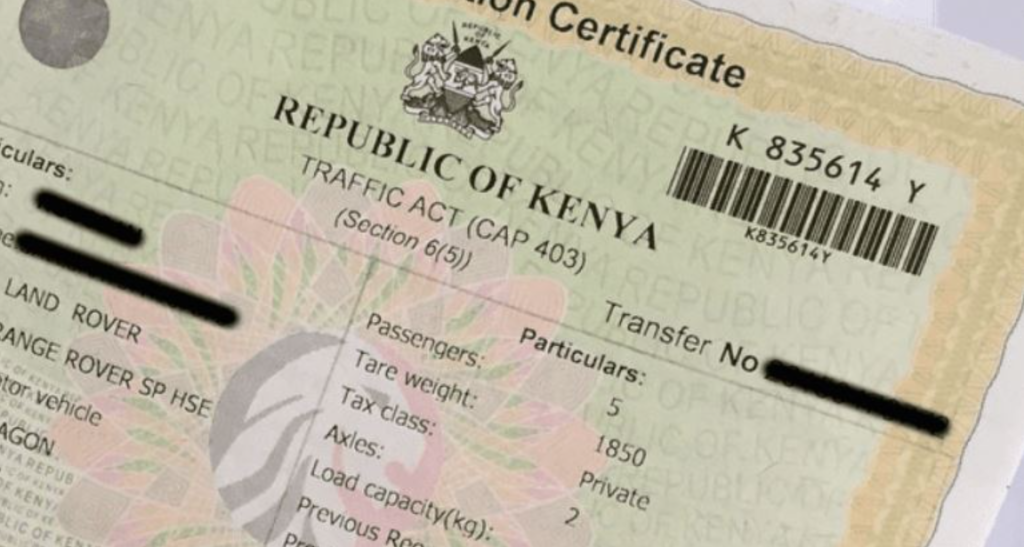
Losing your car’s logbook in Kenya can be a stressful experience, as it is a crucial document for proving ownership of your vehicle. However, the process of replacing a lost logbook has been streamlined by the National Transport and Safety Authority (NTSA) through their online system, the TIMS portal. This guide provides you with a detailed step-by-step process on how to replace your lost logbook in Kenya and get it reissued quickly.
Documents Required to Replace a Lost Logbook
Before applying for a replacement logbook, ensure you have the following documents:
| Document | Purpose |
|---|---|
| Police Abstract | Confirms the logbook has been reported as lost. |
| DCI Tape Lifting Report | Confirms the engine and chassis numbers of your vehicle. |
| Copy of ID and KRA PIN | Confirms your identity and ownership of the vehicle. |
| Proof of Payment (KES 2,500) | Payment for NTSA processing fee. |
Make sure all documents are scanned clearly and are ready to be uploaded during the application process.
How to Apply for a Duplicate Logbook on TIMS
Follow these steps to apply for a replacement logbook via the NTSA TIMS portal:
- Visit the NTSA TIMS Portal:
- Open your web browser and go to TIMS Portal.
- Log In to Your Account:
- Use your username and password to log in. If you don’t have an account, you will need to create one by clicking on “Register” and following the steps provided.
- Select ‘Apply for Duplicate Logbook’:
- Once logged in, navigate to the “Apply for Duplicate Logbook” section and click on “Create New.”
- Choose the Vehicle:
- Select the vehicle for which the logbook is lost from your list of registered vehicles.
- Complete the Application Form:
- Fill out the form with accurate details about the vehicle, including the registration number, make, model, and any other required information.
- Upload Documents:
- Upload the required documents, including the police abstract and DCI tape lifting report. Make sure these documents are legible and clear.
- Make Payment:
- Pay the processing fee of KES 2,500 via M-Pesa or any other available payment method. You will receive a payment confirmation, which is essential for your application.
- Submit the Application:
- After making the payment, submit your application. You will receive an invoice as proof of payment, which you should keep for your records.
Processing Time and Collection of Logbook
Once you have submitted your application, the NTSA typically processes it within 1 to 2 weeks, depending on the volume of applications. You will receive a notification via SMS or email once your duplicate logbook is ready for collection. You can also check the status of your application by logging into the TIMS portal.
Collection Process:
- Go to the NTSA office you selected during your application.
- Carry your National ID and police abstract for verification purposes.
- Collect your new logbook once it has been verified.
Final Thoughts
Replacing a lost logbook in Kenya is a simple process, thanks to the NTSA’s TIMS portal. By following the steps outlined in this guide, you can apply for a replacement logbook quickly and efficiently. Remember to keep your documents and payment receipts safe throughout the process, and track your application status to ensure timely collection of your new logbook.
By adhering to these guidelines, you can resolve the issue of a lost logbook and maintain the integrity of your vehicle’s registration.