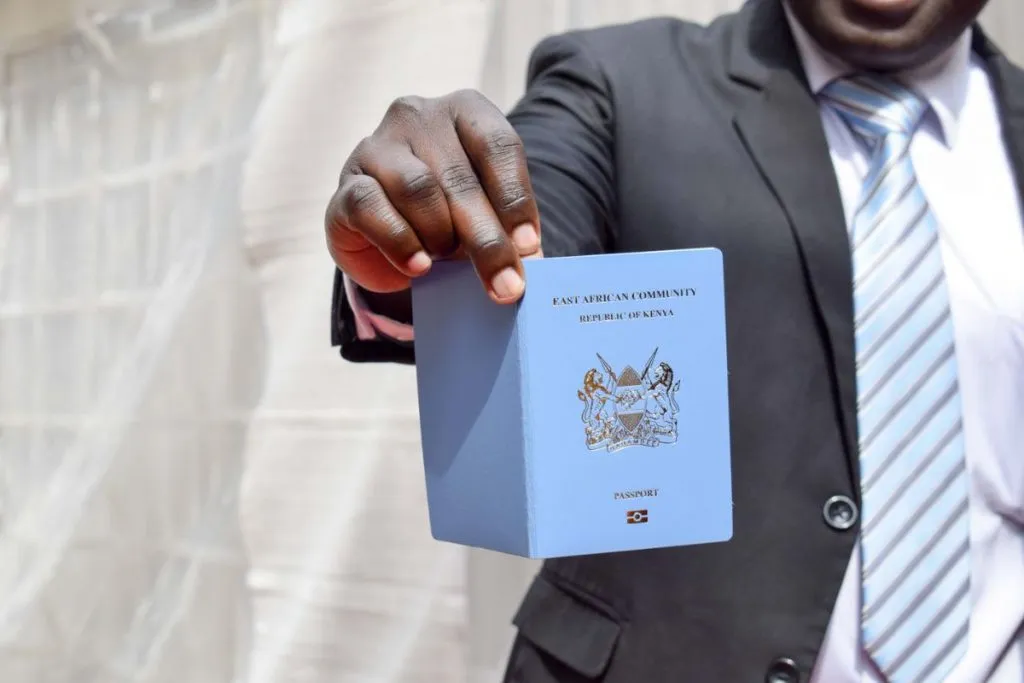
In the digital age, obtaining a Kenyan e-passport is the most secure and globally recognized travel document. Whether you’re upgrading from an old passport, replacing a damaged one, or applying for the first time, the Kenyan e-passport offers numerous benefits, including improved security and access to visa-free travel in East Africa and beyond.
This detailed guide covers everything you need to know about applying for an e-passport in Kenya, from the necessary requirements to the full application process and official fees.
1. Complete Online and Physical Process Guide on How to Apply for an E-Passport in Kenya
The process to apply for an e-passport in Kenya involves both online steps and a physical visit to an immigration office. Following these steps carefully ensures a smooth and timely application. Here’s the full process:
Create an E-Citizen Account
The first step in applying for an e-passport is registering on E-Citizen, Kenya’s official online government portal. You will need a valid Kenyan ID number to sign up.
- Register using a smartphone, laptop, or at a cyber café.
- Once registered, log in and select the “Passport Application” service.
Fill in Your Personal Details
After logging into E-Citizen, you’ll need to complete the personal details section, which includes:
- Full official names
- Date and place of birth
- National ID number
- KRA PIN (if applicable)
- Marital status
- Occupation
- Residence address
Additionally, you’ll select the type of passport you’re applying for (first-time, renewal, replacement, or lost passport). Ensure all details are correct to avoid delays or rejections.
Upload Mandatory Supporting Documents
Once your personal details are complete, the system will prompt you to upload necessary supporting documents. These must be clear, readable scans to ensure quick processing. Required documents include:
- National ID card
- Birth certificate
- Parents’ ID cards or death certificates (if applicable)
- Children’s birth certificates (if applicable)
- Spouse’s ID card (if married)
- Recommender’s ID card
Make sure the files are in PDF format to meet size requirements and ensure successful uploads.
Make Passport Payment Through E-Citizen
Once the documents are uploaded, you can proceed to make payment for your e-passport application via E-Citizen. There are multiple payment options:
- MPESA (most popular and convenient)
- Visa cards
- Airtel Money
Ensure you select the correct passport category (32-page, 48-page, or others) before making payment.
Official Passport Fee Structure:
| Passport Type | Fee (Ksh) |
|---|---|
| 32 Pages Ordinary A Series | 4,550 |
| 48 Pages Ordinary B Series | 6,050 |
| 64 Pages Ordinary C Series | 7,550 |
| East African Passport | 990 |
| Diplomatic Passport (48 Pages) | 7,550 |
| Mutilated Passport | 10,050 |
| Lost Passport | 12,050 |
After payment, you’ll receive an instant confirmation on the portal.
Print Invoice and Application Forms
Once payment is successful, the system will redirect you to a page where you can download the invoice and application forms.
- Print three copies of both the invoice and application forms.
- Ensure you complete all fields to avoid delays when submitting.
Prepare Three Sets of Physical Documents
Next, you need to prepare three complete sets of your documents for submission during your physical visit to the immigration office. Each set must include:
- National ID card
- Birth certificate
- Parents’ ID cards or death certificates (if applicable)
- Children’s birth certificates (if applicable)
- Recommender’s ID card
- Last three pages of your old passport (if renewing)
- Police abstract, affidavit, and explanation letter (if your passport is lost)
Important: Bring original documents for verification during submission.
Visit Immigration Offices for Biometrics
Now it’s time to visit the nearest immigration office for biometrics. Offices are located in various towns across Kenya, including:
- Nairobi
- Mombasa
- Kisumu
- Kisii
- Nakuru
- Embu
You will submit your physical documents, have your biometrics captured (fingerprints and photo), and verify your identity. The processing time is typically 10 working days after submission. You will be notified via SMS when your e-passport is ready for collection.
2. E-Passport Travel Benefits You Should Know
The Kenyan e-passport offers significant advantages:
- International Travel: The e-passport is recognized globally and meets biometric standards for fast border clearance.
- East African Community Access: Holders enjoy visa-free travel across all East African Community (EAC) member states.
- Global Travel: The e-passport also grants visa-free or visa-on-arrival access to countries like Burundi, Barbados, and the Cayman Islands.
With its digital chip, the e-passport enhances security by protecting your personal data and ensuring smooth travel across borders.